At VirtualSpeech, we’re always hard at work upgrading the platform, making improvements, and bringing new features your way. Our goal is to give you as many ways to support your users and achieve your team’s learning objectives as possible – so here’s what our team has brought you in 2026 so far:
Custom Roleplay Enhancements
Creating bespoke scenarios in Roleplay Studio just got even easier with our brand-new Easy Generate feature. Now, you can create complex scenarios for your learners in under a minute – just outline how you want the roleplay experience to play out, and Easy Generate builds it. No more needing to tweak your wording or write paragraphs of prompts, just describe your perfect training session, and we’ll do the rest!

Roleplay Studio’s new Easy Generate feature means you can create complex roleplays for your learners in just one minute.
New Roleplay Environments
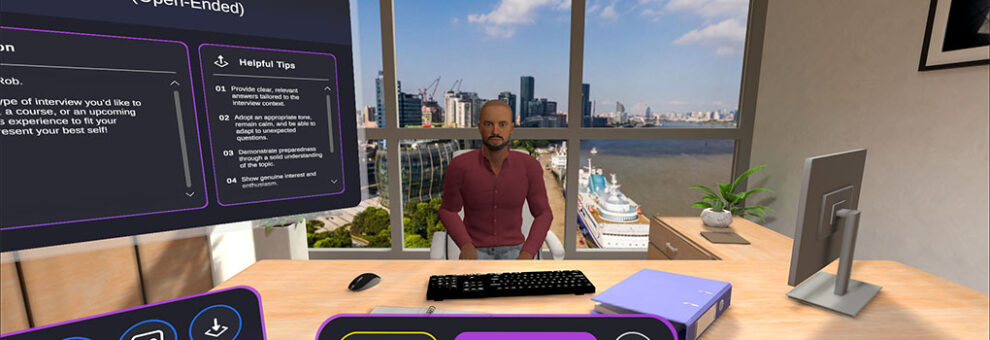
We’ve added even more environments to VirtualSpeech, so that your learners can be even more immersed as they practice and hone their skills. In addition to classic locations like our presentation room and coffee shop, users can now experience roleplays on an oil rig, on a shop floor, and in a new, larger office – meaning your practice scenarios can be even more true-to-life.

With even more unique environments available, VirtualSpeech is more realistic than ever before.
Improved Feedback For Online Results
Instant, actionable feedback is a key part of learning with VirtualSpeech, and our team has made a host of improvements on how we compile and deliver learners’ feedback to ensure:
- Even clearer feedback for learners on what went well during a session and where they can improve.
- Increased clarity on session feedback for admins to provide further visibility on a session’s strengths and weaknesses.

Feedback is now clearer and easier to understand for both learners and admins.
AI Coach 2.0 Update
Our AI Coach, Hugh, just got even more powerful. Now, learners can join the AI Coach for bespoke, one-to-one coaching sessions built by our in-house learning team to improve key aspects of their soft skills – meaning that AI Coaching is now available before practice, not just after it – helping users prepare in more detail than ever before.
There’s never been a better time to jump into VirtualSpeech and spend some time with the AI Coach!

Our in-house learning experts have designed bespoke coaching scenarios that help learners prepare for difficult conversation moments.
Online Simulation Improvements
VirtualSpeech’s Online and On Demand platform is now better than ever, meaning your teams get the same great learning experience whether they’re using their browsers or a virtual reality headset. Our latest updates have brought more realistic visuals, higher-quality voices, smarter AI, and improved technical performance to our browser-based app.

VirtualSpeech’s online, browser-based platform features realistic, intelligent avatars for learners to roleplay with.
Upgraded Admin Features
Admins now have more control over learners’ experiences in VirtualSpeech. By leveraging the new tools and toggles within the Admin Dashboard, admins can ensure that learners stay focused on practice – without worrying about scenario setup.
From selecting the training language to turning on captions, admins can now configure training sessions to be exactly how they want for the learner. In addition, admins can disable certain roleplays, streamlining the training experience and ensuring that learners are practicing exactly what’s needed.

Admins can guide users’ interactions inside VirtualSpeech to ensure the best learning experience possible.
Coming Soon!
That’s what’s new so far this year, but don’t worry – we’ve got even more upgrades on the way. Later this year, we’ll be releasing a brand-new way for learners to practice with VirtualSpeech, alongside even more improvements to our avatars’ visuals and intelligence. Stay tuned!