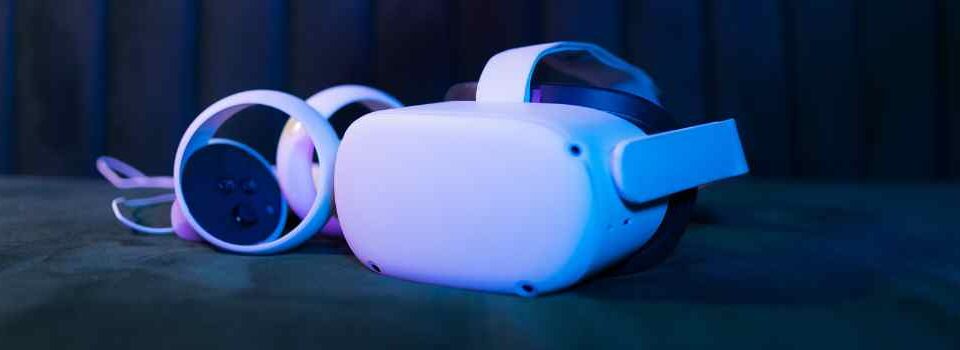
VR public speaking practice puts you in front of a virtual audience in a conference room, lecture hall or theater, so you can rehearse a presentation as if it were real. You get instant feedback on your pace, filler words, eye contact and clarity, and can repeat it as often as you need.
This guide explains how it works, what research says about VR and speaking anxiety, and what 9,000 VR practice speeches on VirtualSpeech show about where people struggle.
Why practice public speaking in VR?
Most people prepare for a presentation by reading their notes or rehearsing alone at a desk. (For the basics, see our guide to presentation skills.) That misses the hardest part: standing in front of people who are watching you.
- It feels real enough to matter. A virtual audience triggers some of the same nerves, so you practice managing them, not just remembering your words.
- It’s private. You can stumble, restart and try a different opening without anyone you know watching.
- You can practice any time. No booking a room or finding a friendly audience.
- You get objective feedback. Instead of guessing how you came across, you see your pace, filler words and where you looked.
Video showing how you can practice public speaking in virtual reality.
How VR public speaking practice works
- Choose a room and audience. Options range from a small meeting room to a large theater, a press conference or a job interview.
- Load your own slides. Upload a presentation so you rehearse with the real material, and use speaker notes if you need them.
- Give your speech. The audience reacts, and distractions such as phones ringing or people talking can be switched on.
- Answer questions. Practice handling audience questions, including unexpected or challenging ones.
- Review your feedback. See your scores, listen back to your recording, and read a transcript of what you said.
- Repeat and track progress. Each attempt is saved, so you can see whether your pace, eye contact and filler words improve.
You can also practice in a browser without a headset; eye contact and body language are only measured in VR.
See public speaking practice and VR training on VirtualSpeech.
What feedback you get
| Feedback | What it measures | What good looks like |
|---|---|---|
| Pace | Words per minute | Varied, and fast enough to hold attention; see average speaking rate |
| Filler words | “Um”, “uh”, “like”, “you know” | Few enough that nobody notices them; see these voice and delivery exercises |
| Eye contact | Where you looked, shown as a heatmap of the audience | Spread across the whole room, not one side or your notes |
| Volume | How loud and consistent your voice is | Audible at the back, with variation for emphasis |
| Listenability | How clear and easy to follow you are | Short sentences, clear structure, pauses |
| Content | An AI review of your structure and message | A clear opening, main points and close |

What 9,000 VR practice speeches show
We looked at 8,991 presentations and speeches practiced in VR by 1,379 people at 162 organizations between May and October 2026, counting individual accounts only.

- Practice improves delivery. Among the 462 people who gave five or more speeches, the average score rose from 5.5 on the first to 6.0 on the fifth, and eye contact from 5.0 to 5.5 out of 10. 65% scored higher on their fifth speech than their first.
- Eye contact is the biggest gap. 21% of speeches scored 2 or less out of 10 for eye contact, usually from reading notes or looking at one part of the room.
- Smaller rooms are harder for eye contact. Average eye contact was 3.3 in meeting rooms and 3.7 in classrooms, against 5.4 in conference rooms and 6.0 in theaters. With a few people close by, speakers tend to look at one person or at their slides.
- People speak slowly in practice. The median pace was 112 words per minute, and 35% of speeches were under 100. Impromptu speeches were slowest, at a median of 97.
What research says about VR public speaking practice
| Study | Design | Finding |
|---|---|---|
| De La Salle University, 2024 | 35 students, live vs VR impromptu speeches | Long pauses halved (1.14 to 0.57 per speech) and unnecessary movements fell from 6.0 to 2.5 |
| Taipei Medical University, English Language Teaching, 2024 | Before and after, 43 students | Speaking anxiety fell for 32 of 43 students |
| Nanyang Technological University, ASCILITE, 2022 | Randomized trial, 50 adults | Listenability score 8.56 for the VR group vs 2.56 for controls |
| University of Connecticut and Nichols College, 2025 | Six weeks of home use, 15 students | Speaking anxiety fell and confidence rose; students used it for 4.5 hours on average, voluntarily |
| Quanzhou Normal University, Acta Psychologica, 2025 | Randomized trial, 288 students, 8 weeks | Larger self-reported gains in public speaking than a control group |
Most of these studies are small, and several have no control group. More detail is on our research page.
Tips for practicing public speaking in VR
- Start small, then scale up. Begin in a meeting room, then move to a lecture hall or theater as you get comfortable.
- Practice with your real slides, so you learn the transitions as well as the words. If the flow feels wrong, revisit how to structure your presentation.
- Look at the eye contact heatmap after each attempt, and aim to cover the whole room next time. The eye contact exercise focuses on just this.
- Retry straight away after a weak attempt, then come back on another day; spreading practice out helps it stick.
- Turn on distractions and questions once your delivery is steady, so the real thing feels easier.
For more on handling nerves, see our guide to glossophobia and fear of public speaking.
Frequently asked questions
Does VR help with fear of public speaking? Several small studies have found speaking anxiety fell after VR practice, including a Taipei Medical University study where anxiety fell for 32 of 43 students. Most had no control group, so treat the results as promising rather than proven.
Do I need a VR headset? No. You can practice in a browser, but eye contact and body language feedback need a headset such as the Meta Quest.
How often should I practice? At least three times before an important talk, spread over several days. In our data, scores kept rising over the first five practice speeches.
Can I use my own presentation? Yes. You can upload your slides and rehearse with them in the virtual room.

How we did this analysis
We analyzed 8,991 completed VR presentation sessions on VirtualSpeech from May 1 to October 23, 2026, by 1,379 people at 162 organizations, counting individual accounts only. We excluded anonymous trials, internal accounts and shared headset logins. Room comparisons are averages and don’t control for who used each room or what they were practicing. Scores are generated automatically and by AI.
Related posts: